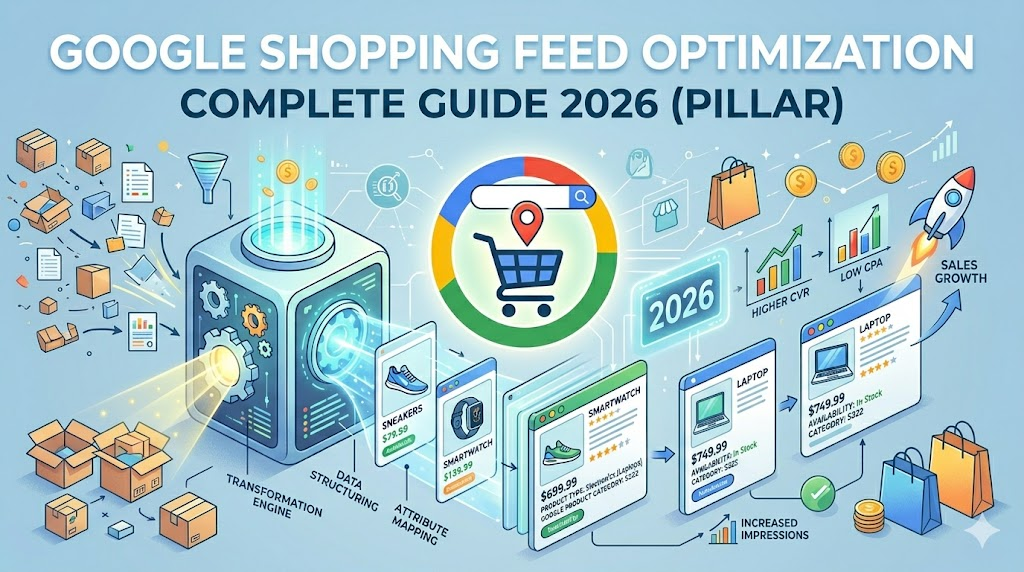
Retail media has entered a fully automated era: bidding is algorithmic, placements are programmatic, and Performance Max governs most of the spend. In that architecture, the product feed is the primary data source — it dictates relevancy, placement and conversion efficiency. The mandatory migration to Google Merchant Center Next moves merchants away from manual XML/CSV uploads and toward dynamic, automated extraction. This guide is the 2026 playbook to win that game.
The new paradigm of Google Merchant Center Next
Under the classic framework, merchants built and hosted complex XML, CSV or TSV files. Merchant Center Next simplifies onboarding by crawling product titles, descriptions, pricing, inventory and images directly from the site's structured schema. The trade-off: crawls can pull duplicates, capture incomplete data, or index products that were intentionally excluded — driving warnings and disapprovals for enterprise catalogs.
High-volume retailers cannot rely on automated crawls alone. They need feed manipulation, supplemental sources and direct API control. That control now flows through the new Google Merchant API; the legacy Content API for Shopping runs in parallel only until August 2026. Update integration pipelines before that deadline or risk ingestion failures.
Merchant Center Next ranks products with Click Potential: a model that scores listings as High, Medium or Low based on historical performance, demand and data completeness. Use it to prioritise optimisation effort on items that have real demand but weak feed data.
For agencies, the Merchant Center for Agencies layer launched in March 2026 replaces the classic Multi-Client Account (MCA) with portfolio-level dashboards, disapproval alerting and diagnostic queues sorted by click potential.
The April 2026 product data specification updates
On April 14, 2026, Google rolled out the biggest spec change in years. The headline additions:
[handling_cutoff_time]— daily cut-off hour and timezone at the product level. Critical for merchants with multiple fulfilment centres that need accurate delivery estimates per SKU.[minimum_order_value]— minimum spend required to purchase a specific product. Prevents ads from serving to users who can't meet wholesale or carriage minimums.[loyalty_program_label]and[loyalty_tier_label]— sub- attributes of[shipping]that surface loyalty shipping benefits directly inside the ad unit.[video_link]— submit product videos. Technical validation began immediately; serving and policy enforcement starts June 30, 2026. Video errors won't disapprove the product, but the video asset will be withheld.[image_link]&[additional_image_link]— minimum image resolution rises to 500×500 px for all categories, phased to full enforcement on January 31, 2027. Warnings labelled "Image too small for upcoming enforcement" are already appearing.
Side updates: pickup_method is now optional for Local Inventory Ads, energy_efficiency_class attributes were removed, and the pairing of price with installment has stricter compliance rules.
Title optimization: the front-loading principle
Shopping does not target keywords directly — the matching algorithm reads titles and descriptions to map your listings to high-intent queries. Google allows up to 150 characters, but most ad layouts truncate at 70–100 characters. The front-loading rule is therefore non-negotiable: brand, product type and key variant come first.
Title formulas that work
- Branded apparel:
Brand + Gender + Product Type + Variants→ "Nike Men's Running Shorts — Black, Size M, Dri-FIT" - Unbranded homewares:
Product Type + Material + Use Case + Key Feature→ "Ceramic Coffee Mug — Matte White, 350ml, Dishwasher Safe" - Electronics:
Brand + Model + Product Type + Core Spec→ "Sony WF-1000XM4 Wireless Noise-Cancelling Earbuds — Bluetooth 5.2, Black"
Description guidelines
Aim for 300–1,000 characters. Lead with USPs and technical specs in the first 160–500 characters (mobile truncates aggressively). Avoid keyword stuffing — repeated variations like "buy cheap running shoes, best running shoes" trigger low-quality signals. Use short, conversational sentences and bullets for specs (dimensions, IP rating, battery life, compatibility). AI-generated descriptions are fine at scale provided they're grounded in real product data.
Technical taxonomy: GPC vs Product Type
Google Product Category (GPC) is the standardised taxonomy Google uses for eligibility and policy. Product Type is your own hierarchy — fully customisable, infinite depth, and the lever for campaign segmentation. Categorise at least five levels deep. Instead of Apparel & Accessories, use Clothing > Men's Clothing > Activewear > Shorts > Running Shorts.
Deep nodal categorisation unlocks long-tail targeting ("men's black running shorts with phone pocket"), clean campaign segmentation, and stronger algorithmic matching — which drives CPC down and ROAS up.
High-performance image architecture
Primary [image_link] must comply or your account gets suspended:
- Minimum 500×500 px; serve 1500×1500 px or higher for retina and TV layouts.
- Product centred, occupying 75–90% of the frame.
- Solid white or transparent background for consistency across surfaces.
- No promotional overlays. "SALE", "FREE SHIPPING", watermarks and badges are the #1 cause of image-related suspensions. Move that copy to ad text or Merchant Center promotions.
Use all 11 slots of [additional_image_link]: white background, depth, rear angles, texture, overhead, sizing context, in-use scenes, alternative environments, range visibility, unboxing, differentiators. Google's Product Studio can remove backgrounds, upscale resolution and generate scenes without a photo shoot.
Custom label taxonomy for dynamic segmentation
custom_label_0 through custom_label_4 are invisible to shoppers but essential for bidding logic. A proven 2026 mapping:
- custom_label_0 — Profit margin:
High_Margin/Medium_Margin/Low_Margin. Bid aggressively on high-margin SKUs; set high-ROAS thresholds on low-margin ones. - custom_label_1 — Seasonality:
Spring,Summer,Holiday,Back_to_School. Lets you reallocate budget on demand without restructuring campaigns. - custom_label_2 — Performance:
Top_Seller,New_Arrival,Slow_Mover,Zombie_Product. Isolate winners and pause click-burning losers. - custom_label_3 — Price tier:
Under_50,50_to_100,Over_100. Aligns bids with AOV. - custom_label_4 — Real-time inventory:
Low_Stock,Normal_Stock,Overstock. Throttle bids on low stock; push overstock to clear warehouse space.
Configuring Attribute Rules in GMC Next
"Feed rules" are now Attribute Rules. They modify your feed to comply with Google's spec without touching the raw source. To enable them:
- Click the Settings gear → Add-ons → activate Advanced data source management.
- Go to Data Sources → open your primary source.
- Open Your attribute rules → add a rule and pick the target attribute.
- Set the IF condition (e.g.
Price > 100orTitle contains "Ring"). - Set the THEN action (e.g.
custom_label_3 = "High_Ticket"). UseSplit,SelectandCombineto clean strings or append parameters. - Save as draft, audit in staging, then push live.
Attribute Rules are excellent for basic corrections. For multi-channel syndication (Meta, TikTok Shop, Amazon) and AI-assisted mapping at scale, a dedicated feed manager like IRONFEED covers the gap.
Weekly feed health diagnostics
The minimum operational checklist to keep disapprovals near zero:
- Data sync & discrepancies — price and stock must match the live site. Use real-time microdata crawls or API sync during promos.
- Image resolutions — clear all "Image too small for upcoming enforcement" warnings now, before the January 2027 cut-off.
- Identifier validation — request correct GTINs from manufacturers; strip invalid ones with attribute rules.
- Technical access & crawling — allow
User-agent: GooglebotandGooglebot-imageon every product path; fix redirect loops. - Supplemental enrichment — populate gender, age group, colour and size for filtered categories or visibility collapses.
Understanding Google Merchant Center Next in 2026
Google Merchant Center Next (GMC Next) is the 2026 rebuild of Google's product data platform that replaces manual XML/CSV uploads with automated site crawling, a unified Merchant API, and a Click Potential ranking model. It is now the mandatory ingestion layer for every Shopping ad, free listing, and Performance Max retail campaign served on Google surfaces.
Under the hood, GMC Next still respects the official product data specification, but it adds three structural shifts that change how feeds are built and scored:
- Automated data extraction via on-page schema.org/Product microdata, meta tags and structured snippets — the crawler becomes the default primary feed.
- Unified Merchant API consolidates the legacy Content API endpoints (products, inventory, reports, accounts) behind a single OAuth surface. Legacy Content API for Shopping is deprecated on August 2026.
- Click Potential scoring classifies every SKU as High / Medium / Low so optimisation effort can be triaged by expected incremental traffic, not catalog size.
Pro-Tip: Anchor this section to the official Merchant Center Next overview and the Merchant API quickstart to validate trustworthiness for E-E-A-T.
Advanced Product Title & Description Optimization Semantics
In GMC Next, product titles and descriptions are the dominant semantic signal — Google's matching model parses them as natural language to align listings with high-intent queries. Front-load identifiers, normalise variant order, and treat the first 70 characters as a structured semantic slot.
The advanced semantic structure follows a deterministic token order that maximises both mobile truncation safety and entity recognition by LLM-driven query parsers:
- Brand (entity anchor) → Gendered / Audience tag (when applicable) → Product type head noun → Primary variant (color, size, capacity) → Differentiator (material, technology, use case).
- Inject semantic enrichment tokens via Attribute Rules: e.g. append
{material},{capacity}or{compatibility}when the source field is populated, never as static suffixes. - Mirror the title's entities in the first 160 characters of the description — that window is what AI Overviews and Shopping Graph snapshots index.
Pro-Tip: Validate your title schema with the official Google title attribute guidelines before shipping rules into production.
Mastering Attribute Rules and Feed Supplemental Data
Attribute Rules are GMC Next's no-code transformation layer that rewrites, enriches, and conditionally maps feed fields without touching the source data. They replace the legacy "Feed rules" UI and operate on both primary (crawled) and supplemental feeds, with versioning, draft staging, and per-rule diagnostics.
The 2026 stack pairs Attribute Rules with Supplemental Feeds (CSV, Google Sheets, API) that override or extend the primary source. A canonical enterprise pattern:
- Layer 1 — Primary (crawl/API): ground truth for price, availability, GTIN, image URL.
- Layer 2 — Supplemental (Sheets): overrides for taxonomy, custom labels, promotional copy and seasonal flags.
- Layer 3 — Attribute Rules: deterministic transformations — string cleanup, conditional category mapping, GTIN validation, custom-label bucketing.
Pro-Tip: Link to the official Attribute Rules documentation and Supplemental Feeds guide for authoritative citations.
GMC Legacy vs. GMC Next: The 2026 Transition Matrix
GMC Next replaces manual feed-first architecture with an automated, API-first stack — but enterprise merchants still need feed control for accuracy at scale. The matrix below maps each capability so migration teams can scope their cutover.
| Capability | GMC Legacy (pre-2025) | GMC Next (2026) |
|---|---|---|
| Data ingestion method | Manual XML / CSV / TSV upload or scheduled fetch | Automated site crawl + Merchant API + optional file feeds |
| Feed enrichment layer | Supplemental Feeds + Feed Rules (per-feed scope) | Supplemental Feeds + Attribute Rules (account scope, versioned) |
| Automated pixel / page scraping | Not available — relied on submitted file | Default on; reads schema.org/Product, meta tags, structured data |
| API surface | Content API for Shopping (sunset Aug 2026) | Unified Merchant API (OAuth, sub-APIs, gRPC + REST) |
| Ranking signal | Bid + quality score | Click Potential (High / Medium / Low) + bid + data completeness |
| UI flexibility | Tab-heavy, feed-centric | Product-centric, diagnostics queue sorted by Click Potential |
| Multi-account management | Multi-Client Account (MCA) | Merchant Center for Agencies (portfolio dashboards) |
Advanced Troubleshooting: Resolving Common GMC Next Critical Errors
Most GMC Next disapprovals trace back to three root causes: data mismatch between feed and landing page, missing or invalid identifiers, or Attribute Rule conflicts overriding crawled values. Use the resolution matrix below as a first-response runbook.
| Error / Warning | Core root cause | Step-by-step resolution protocol |
|---|---|---|
| Mismatched microdata: price | Feed price differs from schema.org/Offer on the landing page (often promo or currency mismatch). | 1) Compare [price] vs landing-page JSON-LD. 2) Sync promo logic via real-time API or auto-updates. 3) Re-fetch the URL in Diagnostics. |
| Missing GTIN / MPN identifiers | Branded product missing [gtin] / [mpn] or marked identifier_exists=false incorrectly. | 1) Request GTINs from manufacturers. 2) Use Attribute Rules to set identifier_exists=false only for true custom-made SKUs. 3) Validate GTIN check digit before submission. |
| Automated attribute override conflict | Crawled value overrides supplemental feed because Attribute Rule precedence is misconfigured. | 1) Open Attribute Rules → set source priority: Supplemental > Crawl. 2) Use Set to instead of Append for authoritative overrides. 3) Re-process the affected products. |
| Image too small for upcoming enforcement | [image_link] below the 500×500 px floor enforced from Jan 31, 2027. | 1) Bulk-audit images via Diagnostics export. 2) Upscale with Product Studio or regenerate from source assets. 3) Replace URLs in feed and re-fetch. |
| Promotional overlay on image | "SALE", "FREE SHIPPING" or watermark detected by the image quality model. | 1) Strip overlays from source. 2) Move promo to Merchant Center Promotions. 3) Resubmit clean [image_link]. |
Pro-Tip: Cross-reference each error code with the official Merchant Center Diagnostics reference to confirm the exact policy clause.
Industry-Specific Feed Requirements (Apparel, Electronics, Home Goods)
Beyond the base spec, GMC Next enforces vertical-specific mandatory attributes — missing any of them causes silent disapproval for the entire category. The setup parameters below cover the three highest-volume verticals.
| Vertical | Mandatory attributes | Recommended setup parameters |
|---|---|---|
| Apparel & accessories | gtin, size, color, age_group, gender, item_group_id | Group variants via item_group_id; submit size_type and size_system; populate material and pattern for semantic enrichment. |
| Electronics | gtin or mpn, brand, condition, product_highlight | Add detailed product_detail attributes (battery, connectivity, compatibility); attach manual / spec sheet via [video_link]. |
| Home goods & furniture | gtin (or identifier_exists=false for custom), product_length, product_width, product_height, product_weight | Use lifestyle_image_link for in-room context; populate material, pattern and assembly_required. |
Code snippets: poor vs. optimized 2026 product entry
The single biggest 2026 quality gap is semantic depth — optimised entries layer structured variants, lifestyle media, and multi-level product_type nesting that the legacy feed simply did not carry.
Poorly optimized entry (legacy XML, minimum viable):
<item>
<g:id>SKU-001</g:id>
<title>Running Shorts</title>
<description>Buy cheap running shorts. Best price.</description>
<link>https://shop.example.com/p/sku-001</link>
<g:image_link>https://cdn.example.com/sku-001.jpg</g:image_link>
<g:price>29.99 USD</g:price>
<g:availability>in stock</g:availability>
<g:condition>new</g:condition>
<g:google_product_category>Apparel & Accessories</g:google_product_category>
</item>Fully optimized 2026 GMC Next entry (JSON, Merchant API payload):
{
  "offerId": "SKU-001-BLK-M",
  "title": "Nike Men's Dri-FIT Running Shorts — Black, Size M, 7-inch Inseam",
  "description": "Lightweight Dri-FIT mesh men's running shorts with phone pocket, reflective trim and elastic drawstring waistband. Ideal for road running and HIIT training.",
  "link": "https://shop.example.com/p/sku-001-blk-m",
  "imageLink": "https://cdn.example.com/sku-001-front-1500.jpg",
  "additionalImageLinks": [
    "https://cdn.example.com/sku-001-back.jpg",
    "https://cdn.example.com/sku-001-detail.jpg"
  ],
  "lifestyleImageLink": "https://cdn.example.com/sku-001-lifestyle.jpg",
  "videoLink": "https://cdn.example.com/sku-001-demo.mp4",
  "price": { "value": "29.99", "currency": "USD" },
  "availability": "in_stock",
  "condition": "new",
  "brand": "Nike",
  "gtin": "00194501234567",
  "mpn": "CJ7841-010",
  "itemGroupId": "SKU-001",
  "color": "Black",
  "size": "M",
  "sizeType": "regular",
  "sizeSystem": "US",
  "gender": "male",
  "ageGroup": "adult",
  "material": "Recycled polyester mesh",
  "productHighlights": [
    "Dri-FIT moisture-wicking fabric",
    "Internal phone pocket",
    "Reflective trim for low-light visibility"
  ],
  "googleProductCategory": "Apparel & Accessories > Clothing > Activewear > Active Shorts",
  "productTypes": [
    "Clothing > Men's Clothing > Activewear > Shorts > Running Shorts"
  ],
  "customLabel0": "High_Margin",
  "customLabel1": "Summer",
  "customLabel2": "Top_Seller",
  "customLabel3": "Under_50",
  "customLabel4": "Normal_Stock",
  "shipping": [
    { "country": "US", "service": "Standard", "price": { "value": "0", "currency": "USD" } }
  ],
  "handlingCutoffTime": { "hour": 14, "timezone": "America/New_York" }
}
Pro-Tip: Validate every payload against the official Google Merchant Center product data specification before pushing to production.
Strategic conclusions for 2026
Winning Shopping in 2026 means moving beyond compliance. Three principles:
- Active optimisation over automation. Use Attribute Rules to enrich titles, categorise five levels deep and keep custom labels live.
- Prepare for stricter media requirements. Audit images today; integrate
[video_link]before competitors do. - Segment by performance and margin. Group campaigns by custom-label taxonomy — not by flat catalog bidding — to align spend with profitability.
Where IRONFEED fits
Running this playbook by hand across millions of SKUs is exactly why we built IRONFEED. Connect your source once, define attribute rules visually, generate custom-label taxonomies, validate images, and publish a fresh, compliant feed to Merchant Center Next on the cadence your catalogue needs. See the Google Shopping integration or get a free feed audit.
Frequently asked questions
What is the single biggest change Google introduced with Merchant Center Next in 2026?
The most significant change is the mandatory adoption of the new unified Schema and the sunsetting of legacy attributes (like the old google_product_category IDs), forcing merchants to fully migrate their feeds to the latest taxonomy and structured data standards.
How does Attribute Rules help with SEO for product feeds?
Attribute Rules allows you to dynamically inject high-value keywords and structured data (like brand, material, and dimensions to titles), which directly triggers higher semantic matching in long-tail user search queries.
Which attributes are strictly mandatory for apparel feeds in GMC Next?
To avoid disapprovals, apparel feeds must include size, color, age_group, gender, and a valid gtin.